













Introduction
Cloud-first was widely adopted because it reduced upfront cost and allowed fast deployment.
Over time, many organisations find that costs become harder to predict, systems become more complex, and changing providers becomes difficult.
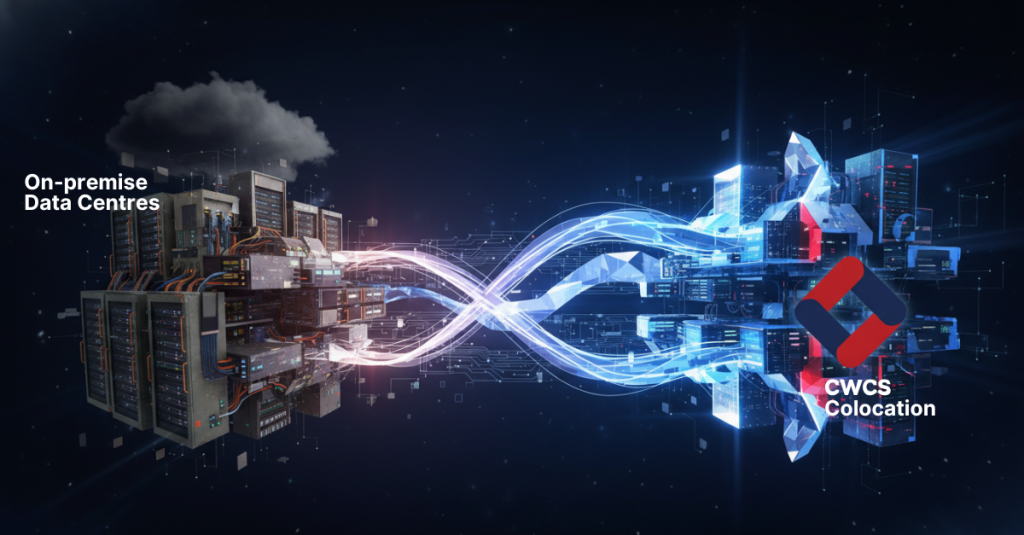
Cloud repatriation is the process of moving some or all workloads from public cloud platforms such as AWS to alternative infrastructure, including Colocation or Dedicated Servers, to improve cost control, performance, or flexibility.
The Reality of Long-Term Cloud Costs
Cloud pricing is usage-based and made up of multiple components, including compute, storage, data transfer, and API requests.
As usage grows, total cost becomes harder to forecast.
Common cost factors include:
- Compute usage billed per second or hour
- Storage billed per GB per month
- Data transfer and egress charges
- Additional costs for managed services
AWS data egress charges in the UK typically range from £0.05 to £0.09 per GB, depending on volume.
For example: – 10 TB of data transfer can cost £500 to £900 in egress fees alone
These costs can increase over time, especially for data-heavy or always-on workloads.
In contrast, Colocation and Dedicated infrastructure are typically priced on fixed monthly costs for power, space, and hardware, making long-term budgeting more predictable. You can explore Colocation Services or Dedicated Servers for more predictable infrastructure costs.
When AWS Does Not Make Sense
AWS is effective for variable or short-term workloads, but it is less efficient in certain scenarios.
AWS may not be suitable when (see also our guide on private vs public cloud):
- Workloads run continuously with stable demand
- Applications require large volumes of stored data
- High-performance compute or GPU workloads are required
- Systems do not benefit from rapid scaling
In these cases, usage-based pricing can lead to higher long-term costs compared to fixed infrastructure models.
The Hidden Risk of Cloud Lock-In
Vendor lock-in occurs when systems depend on provider-specific services, making migration difficult or costly. This is often discussed alongside broader data migration strategies.
In AWS, this often involves services such as Lambda, DynamoDB, or proprietary infrastructure tooling.
Vendor lock-in increases migration complexity because:
- Equivalent services may not exist in other environments
- Applications may need to be redesigned
- Data transfer incurs additional costs
Migration projects can cost between £10,000 and £100,000 or more, depending on system size and complexity.
This creates both a technical and financial barrier to leaving the platform.
Cloud vs Colocation for Enterprise
The differences between Cloud and Colocation become more visible at scale.
| Factor | Cloud (AWS) | Colocation |
| Pricing | Usage-based and variable | Fixed monthly cost |
| Data transfer | Egress charges apply | No egress fees |
| Control | Limited infrastructure control | Full hardware control |
| Performance | Shared resources | Dedicated resources |
| Scalability | Instant but cost increases quickly | Planned and predictable |
Colocation is often more suitable for stable workloads where cost predictability and performance consistency are priorities.
Learn more about UK Colocation Services.
AWS vs Dedicated Servers vs Colocation
Each infrastructure model serves a different purpose.
- AWS provides flexibility and rapid deployment
- Dedicated servers provide consistent performance with simple pricing
- Colocation provides full control and long-term cost stability
For workloads that operate continuously, Dedicated or Colocated infrastructure can reduce overall cost compared to Cloud environments. See Dedicated Server options or GPU Server Hosting for high-performance workloads.
What Cloud Repatriation Actually Looks Like
Cloud repatriation is usually implemented in stages rather than as a full migration.
Typical approach:
- Identify stable or high-cost workloads
- Move those workloads to Dedicated or Colocated infrastructure
- Retain cloud for variable or short-term use cases
This creates a hybrid environment where each workload is placed based on cost, performance, and operational requirements. Hybrid setups often combine Cloud Hosting with Colocation or Dedicated infrastructure.
Real-World Use Cases
Common repatriation scenarios include (see related Dedicated Server use cases):
- SaaS platforms moving core services to reduce monthly cloud spend
- Ecommerce platforms moving databases to Dedicated hardware for consistent performance
- AI and machine learning workloads moving to high-density compute environments
These changes are typically driven by cost control, performance requirements, or infrastructure flexibility.
Why Colocation Is Growing Again
Modern Colocation facilities provide:
- High-density rack support for compute-heavy workloads
- Redundant power infrastructure
- Efficient cooling systems
- Carrier-neutral connectivity
These features allow organisations to run infrastructure with greater control while maintaining high availability and performance. CWCS UK Data Centres support this approach, with locations in Nottingham, London and Manchester, ISO 27001 and ISO 9001 certification, and resilient A plus B power, UPS, and cooling systems.
Signs You Should Leave AWS
Indicators that Cloud may no longer be suitable include:
- Monthly costs increasing without corresponding growth in usage
- Difficulty forecasting infrastructure spend
- Dependence on proprietary cloud services
- Performance variability in shared environments
These signals often indicate that a review of infrastructure strategy is required. It can also help to revisit fundamentals such as what a Data Centre is and how infrastructure is delivered.
Migration Without the Risk
CWCS supports infrastructure transitions with a structured and phased approach, helping reduce risk during migration while maintaining service continuity.
Migration away from cloud can be managed through a phased approach.
Best practices include:
- Moving non-critical workloads first
- Using hybrid environments during transition
- Planning data transfer and architecture changes in advance
This reduces operational risk while improving cost control over time. Managed support options can also be explored via server management services.
AWS to Colocation, FAQs
Is AWS still worth it?
AWS is effective for variable workloads and rapid deployment, but may be less cost-efficient for long-term, stable systems.
What is cloud repatriation?
Cloud repatriation is the process of moving workloads from public Cloud platforms to Dedicated or Colocated infrastructure.
Is colocation cheaper than AWS?
For predictable, always-on workloads, colocation is often more cost-efficient over the long term.
When should you move out of the cloud?
When costs become unpredictable, performance is inconsistent, or greater control is required.
What workloads should not be in AWS?
Always-on systems, high compute workloads, and large-scale data platforms are common examples.
Why CWCS for Colocation and Infrastructure
CWCS provides UK-based infrastructure services designed for performance, reliability, and long-term cost control.
Key capabilities include:
- UK Data Centres in Nottingham, London and Manchester
- ISO 27001 and ISO 9001 certified environments
- A plus B power feeds with N plus 1 UPS and generators
- Carrier-neutral connectivity with access to multiple network providers
- 24/7 UK-based technical support
These capabilities support businesses moving away from Cloud dependency towards more controlled infrastructure models.
Final Thoughts
Cloud remains an important part of modern infrastructure. However, not all workloads benefit from remaining in the cloud long term.
Organisations are increasingly using a mix of Cloud, Dedicated, and Colocated environments to balance cost, performance, and flexibility.
Cloud repatriation is part of this shift towards more deliberate infrastructure decisions.
Find the Right Infrastructure for Your Workloads
If you are reviewing your current setup, assessing workload requirements and cost structure can help determine whether Cloud, Colocation, or a hybrid approach is more suitable.
Speak to our team to explore infrastructure options based on your specific requirements. You can also review Colocation Services, Dedicated Servers, or Cloud Hosting.